

Merchant Center suspended? We will help get your products
We will check your website, product data and account settings. We will show the discrepancies, fix them within the agreed scope and prepare the store for a review — to bring your products back to Google Shopping.
A 147-check methodology · Evidence report
Independent service. Google makes the reinstatement decision.
Website needs improvement
Store check
Website Product data AccountFixes verified
Prepared for a review
Awaiting review results
Completed after checking three areas
We check the store as one system
The website, product data, account and checkout must be consistent. We compare them and show what needs fixing.
For example: product data shows one price and checkout shows another. We record the discrepancy and draw up a fix plan.
AUDIT SCOPE AND METHOD
147 checks
Every item can be seen.
We check the store across four areas: from seller information to product data, purchase and account status.
147 is the number of checks in our methodology, not an official list of Google requirements. We check the applicable items.
Business and identity — 13
MC-001: Seller's legal entity. Compare the website with the registration details provided.
Applicability: All.
Products, supply and substantiation of claims — 11
MC-014: Product category eligibility. Classify the assortment against current Shopping policies.
Applicability: All.
Website and terms transparency — 14
MC-025: Seller information. Check for a clear description of the business; a separate About page is not required by itself.
Applicability: All.
Shipping and taxes — 12
MC-039: Shipping countries on the website. Compare the stated countries with the ability to place an order.
Applicability: All.
Returns and refunds — 11
MC-051: Public return information. Check it is available before purchase without entering personal data.
Applicability: All.
Purchase and payment — 13
MC-062: Add to cart. Check an eligible product that is available for purchase.
Applicability: All.
Product pages and landing pages — 13
MC-075: Landing page of a specific product. Check that the link leads to the product and not to a general catalog.
Applicability: All.
Feed and product attributes — 21
MC-088: Stable unique id. Check uniqueness and whether the ID changes on updates.
Applicability: All.
Structured data — 10
MC-109: Correct Product and Offer. Check the syntax and the link to the right product.
Applicability: If markup is present or used for import.
Technical access and stability — 12
MC-119: HTTP responses of product URLs. Check actual responses on a sample and mass errors.
Applicability: All.
Merchant Center settings — 8
MC-131: Verified and claimed domain. Compare verification and claim statuses.
Applicability: All.
Linked accounts and review readiness — 9
MC-139: Status of the linked Google Ads. Check for a separate violation on the linked account.
Applicability: If Ads is linked.
The result is in your hands
You see what has been checked, what needs fixing and which changes are already done. We agree on the scope of fixes and support before work starts.
01. Check report
02. Priority plan
03. Fix log
04. Links and screenshots
05. Review preparation
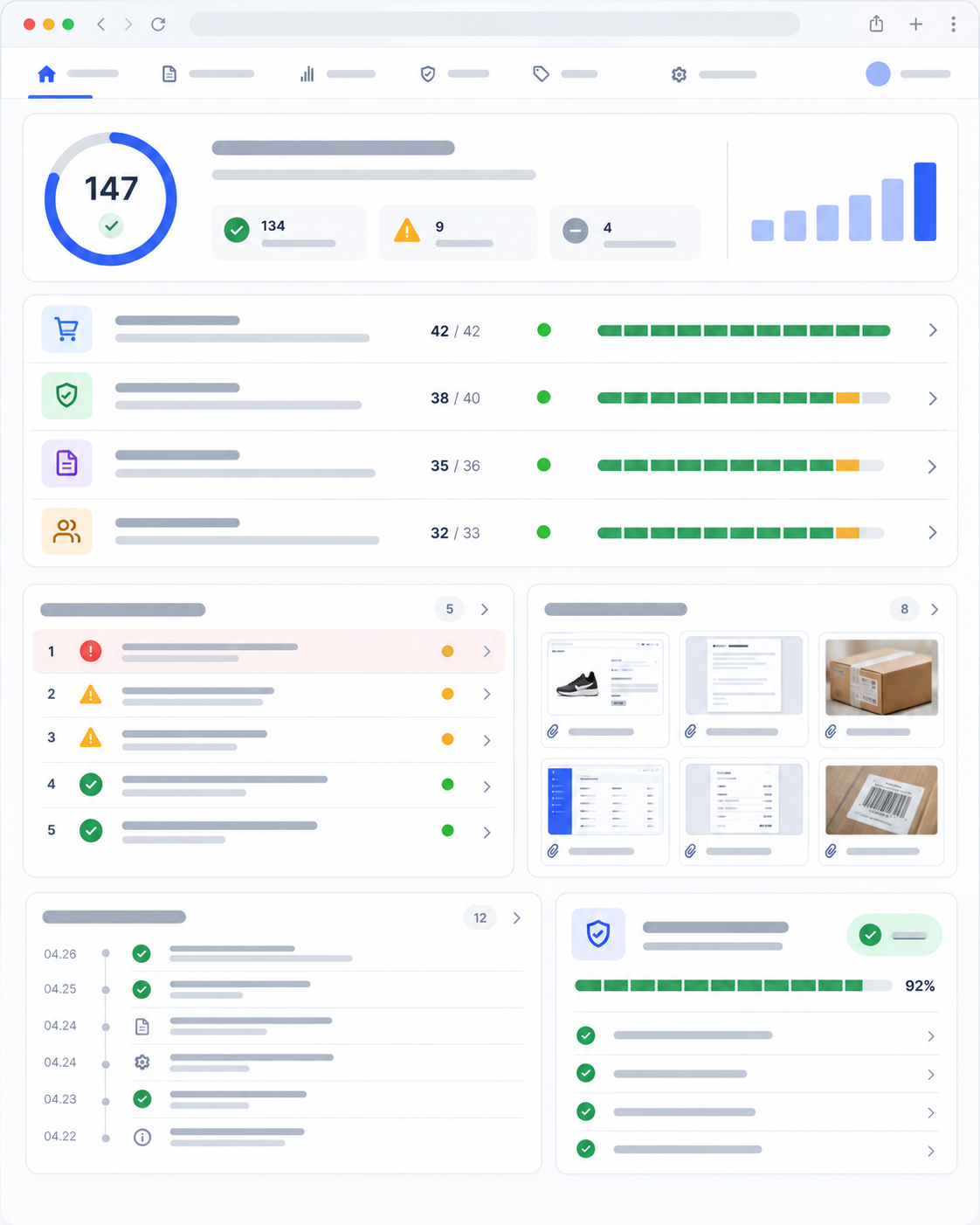
Report, plan and evidence
1. Check report. What was checked, where discrepancies were found, which items are not applicable and where extra data is needed.
2. Priority plan. What to fix first and who is responsible for each step.
3. Fix log. Which changes were made and what the re-check showed.
4. Links and screenshots. Evidence of the issues found, with dates recorded.
5. Review preparation. A check of the store's readiness and help with the request within the chosen package.
Example of a report row (demo, MC-068). The feed price differs from the unit price in the cart → we record links, screenshots and the date → we align the prices and re-test the purchase.
This is a demonstration of the report format, not a client case. We agree the scope of fixes and support before work starts. Google makes the decision on account reinstatement.
Discuss the audit and fixesHow the work goes
At every stage it is clear what we do, what we need from you and what result you receive.
1. We review the suspension. We study the Google message, the store address and the history of recovery attempts. We clarify the necessary materials and access and agree on the scope of the service and each party's responsibility. From you: the notification, a link to the website and the known account history. Before the audit starts, it is clear which work is included in the chosen scope.
2. We run the audit. We check the applicable items of the methodology and compare the website, feed, account settings and purchase path. We record the discrepancies found and the evidence. From you: the necessary store data and answers to clarifying questions. You receive a report and the order of fixes; non-applicable items and missing data are marked separately.
3. We fix the issues. We make the agreed fixes or pass the tasks to your developer if that is part of the chosen work format. From you: approval of changes and information that only the seller can confirm. In the log we mark completed actions and remaining tasks. Fixes are made within the scope of the chosen package, not automatically for every audit item.
4. We prepare the review. We verify the result of the fixes and the store's readiness and help prepare a review request if it is available in the account. We agree the submission with the account owner. We review Google's response and support further actions within the chosen package. Google determines the decision and the review timeline.
We agree fixes and support before work starts. Preparing the store is not a guarantee of account reinstatement.
Discuss my suspensionChoose a service
Start with a review
Choose the work based on the diagnostic results: get a plan, make the fixes or review a complex situation.
Choose a format
Audit
You need to find the causes and get a clear fix plan.
from390€
Check, evidence and plan- Website and account check
- Evidence report
- Fix priorities
- Tasks for the developer

Recovery
You need an audit, fixes and preparation for a review.
from890€
Audit and agreed fixes- Store and account audit
- Agreed fixes
- Verification of changes made
- Request preparation

Complex case
Repeated rejections, several markets or linked accounts.
from1,490€
Individual case review- Review of repeated rejections
- Store markets and accounts
- Change history check
- Individual work plan
Price guides. The amounts shown help you compare work formats. We fix the final price and scope after reviewing the store. Google makes the reinstatement decision.
When it fits. You need to understand where the store and product data disagree and get tasks for your team.
What you get. A check of the applicable items of the 147-check methodology, an evidence report and a fix plan by priority. Non-applicable items and missing data are marked separately.
Service limits. Making the changes and supporting the review are not included in the audit. They can be agreed separately.
Price guide. From €390. We fix the final price after reviewing the store.
Next step. We will study the notification and the store address and agree on the price, access and audit scope before work starts.
Continue: AuditWhen it fits. You need an audit, help with fixes and preparation of the store for a review.
What you get. Report, agreed changes, a log of completed work, verification of the fixes and help with a review request if it is available in the account.
Service limits. Fixes and support are provided within the agreed scope of the package. Tasks for your team and the information required from the seller are defined before work starts.
Price guide. From €890. We fix the final price after reviewing the store.
Next step. We will review the notification and the store, then agree on the price and scope of work. Google makes the decision on account reinstatement.
Continue: RecoveryWhen it fits. Repeated rejections, several markets or linked accounts require a separate case review.
What you get. Analysis of the review and change history, a list of required data and an individual work plan with responsibilities assigned.
Service limits. This is an individual agreement on tasks, not an unlimited package. Google Ads review, additional markets and fixes are agreed separately if needed.
Price guide. From €1,490. We fix the final price after reviewing the store.
Next step. We will study the notifications, the history of attempts and the store address. After the review we will determine the price and scope of work. Google makes the reinstatement decision.
Continue: Complex caseAudit
Price guide. From €390.
You need to understand where the store and product data disagree and get tasks for your team.
Result. A check of the applicable items of the 147-check methodology, an evidence report and a fix plan by priority. Non-applicable items and missing data are marked separately.
Limits. Making the changes and supporting the review are not included in the audit. They can be agreed separately.
Choose: AuditRecovery
Price guide. From €890.
You need an audit, help with fixes and preparation of the store for a review.
Result. Report, agreed changes, a log of completed work, verification of the fixes and help with a review request if it is available in the account.
Limits. Fixes and support are provided within the agreed scope of the package. Tasks for your team and the information required from the seller are defined before work starts.
Choose: RecoveryComplex case
Price guide. From €1,490.
Repeated rejections, several markets or linked accounts require a separate case review.
Result. Analysis of the review and change history, a list of required data and an individual work plan with responsibilities assigned.
Limits. This is an individual agreement on tasks, not an unlimited package. Google Ads review, additional markets and fixes are agreed separately if needed.
Choose: Complex caseAmounts are shown as a guide. We fix the final price and scope of work after reviewing the store. Google makes the reinstatement decision.
You know who manages your store and what happens at every stage
A responsible specialist is assigned to the project. All conclusions, approvals and completed changes stay in one workspace.
At the first stage the store address and the Google notification are enough — passwords are not needed.

One contact for the project
Questions, approvals and work status are gathered in one place.

Conclusions backed by evidence
For discrepancies found, we record links, screenshots and the result of the check.

Changes only after approval
We confirm the scope, access and fixes before making changes.

Log and control of the result
You can see what has been done, what remains and what has been re-checked.
ANSWERS BEFORE YOU START
What is important to know before you start
First we agree on tasks, access and the result of the work. Google makes the reinstatement decision.

Google's decision cannot be guaranteed. We audit the store, show discrepancies and evidence, make the agreed fixes and help prepare a request if a review is available. Before work starts, we fix the scope of tasks and the results you will receive.
For a preliminary review, the store address and the suspension message are enough. For the audit, we agree on access to Merchant Center through a separate user invitation with the necessary permissions. We request access to the website and other systems only for agreed tasks.
Passwords and login codes should not be shared. You keep control of access and can revoke it.
We define the timeline of the audit and fixes after the preliminary review: it depends on the store, access and the scope of agreed tasks. Before work starts, we agree on stages and timelines.
Google's review is a separate stage. We do not control its duration and do not promise to reinstate an account by a certain date.
We review the new notification, the request history and the changes actually made. We check which discrepancies remain and what must be confirmed. We prepare the next request after the fixes are verified and taking into account whether a review is available in the account.
If Google has set a waiting period, we respect it. We do not offer to bypass restrictions or promise an accelerated review.
147 is the number of items in our methodology, not an official Google list. We check the applicable items: for example, some requirements depend on the market, the type of products and the store setup.
For each item we record the result, non-applicability or missing data. Discrepancies we find come with evidence and fix tasks. View the audit contents.
PRELIMINARY REVIEW
Show us the Merchant Center notification — we will define the next step
Provide the store address and the exact wording of the suspension. We will review the situation first and then propose a suitable scope of work.
We agree the full audit and fixes separately before work starts.
Independent service. Google makes the decision on account reinstatement.